LERIS PRC Online 2026–2027: Registration, Board Exam, License Renewal & Appointment Complete Guide
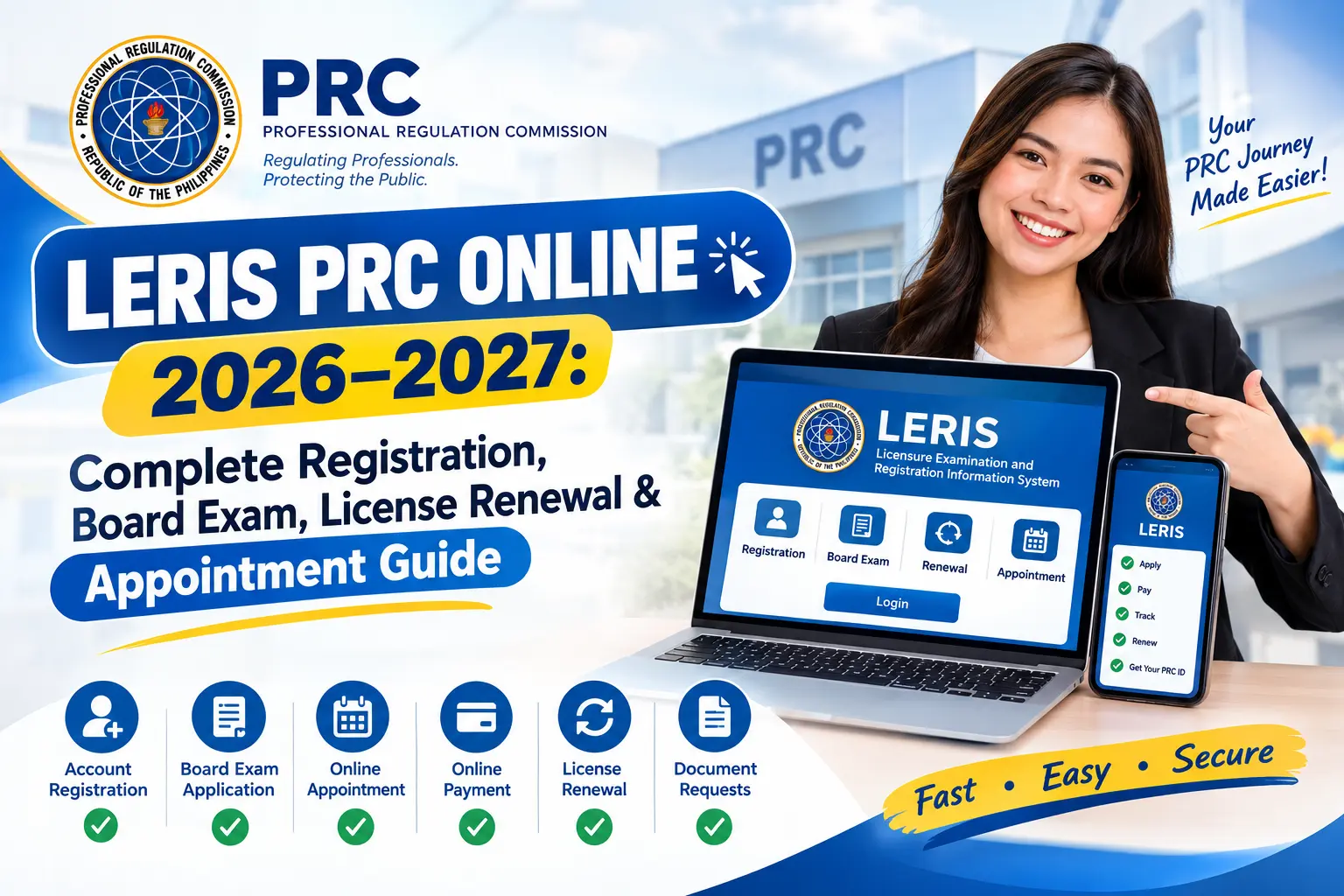
The LERIS PRC Online 2026–2027 platform is the official online system of the Professional Regulation Commission (PRC) in the Philippines, designed to manage licensure examinations, professional registration, license renewal, appointment scheduling, and other essential services. Through PRC LERIS, applicants and registered professionals can handle many PRC transactions online in a more convenient and organized way. Before applying for a board exam, renewing a professional license, or scheduling an appointment, users need to create and maintain a PRC LERIS account with accurate personal information.
Whether you are preparing for your first board examination, applying for a Professional Identification Card (PIC), renewing an existing PRC license, or managing an upcoming appointment, LERIS PRC Online Philippines provides the starting point for accessing relevant PRC services. Through the LERIS PRC Online application, users can register an account, complete application forms, submit the required documents, pay applicable fees, schedule appointments, and check transaction details through their online account. This Online LERIS PRC 2026–2027 complete guide explains the essential steps for registration, board exam applications, license renewal, and appointment booking.
What Is the LERIS PRC Online System?
The LERIS PRC Online System (Licensure Examination and Registration Information System) is the online platform of the Professional Regulation Commission (PRC) in the Philippines. It allows applicants and registered professionals to access various PRC services without relying entirely on manual paperwork. Through PRC LERIS, users can manage their professional profiles, submit applications, arrange appointments, and handle other licensing transactions through an online account.
With a LERIS PRC account, users can access several essential services, including:
Before using LERIS PRC Online Philippines, check that your account information is accurate and that you have prepared the documents required for your specific transaction. Follow the instructions provided by the PRC for account verification, payment, and appointment scheduling. Preparing these details in advance can help reduce errors, avoid unnecessary delays, and make your LERIS PRC Online 2026–2027 application process more convenient.
Requirements to Prepare Before Creating PRC LERIS Account
Before starting your PRC LERIS registration, prepare the necessary personal information and supporting documents. Having these details ready can make the registration process easier, help you avoid common mistakes, and reduce delays when applying for a board examination or other PRC services. Homepage.
Personal Information You’ll Need
Prepare the following information and ensure that your details match your official records wherever applicable:
Accepted Government-Issued IDs
Keep a valid government-issued ID available for identity verification and application requirements. Depending on the transaction and current PRC guidelines, commonly used identification documents may include:
Important: Not every ID is accepted for every PRC transaction. Check the current identification requirements on the official PRC website before submitting your application.
Digital Documents to Prepare
Prepare clear digital copies of relevant documents before beginning your PRC LERIS account registration or examination application. The exact documents depend on whether you are creating an account, applying for a board exam, completing initial registration, or renewing your professional license.
Commonly required documents may include:
Before uploading any document, make sure the text is readable and the file meets the portal’s requirements. Keep your original documents available in case PRC requests them during verification or your scheduled appointment. Reviewing the requirements for your specific profession in advance will help you complete your LERIS PRC application Online registration more smoothly.
LERIS PRC Online Registration Process
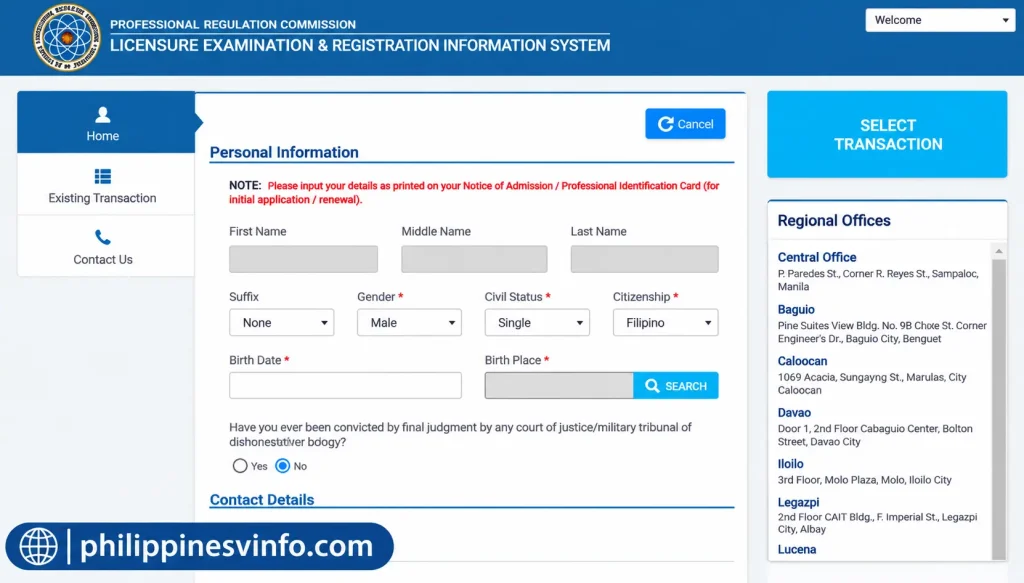
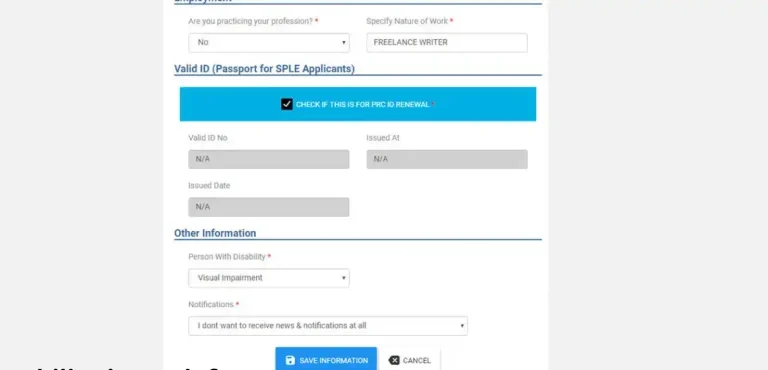
Creating a LERIS PRC Online Registration is the first step before applying for a licensure examination, renewing your PRC ID, or accessing other PRC online services. The registration process requires you to enter accurate personal information, complete your profile, and upload the necessary photograph to help avoid errors or delays.
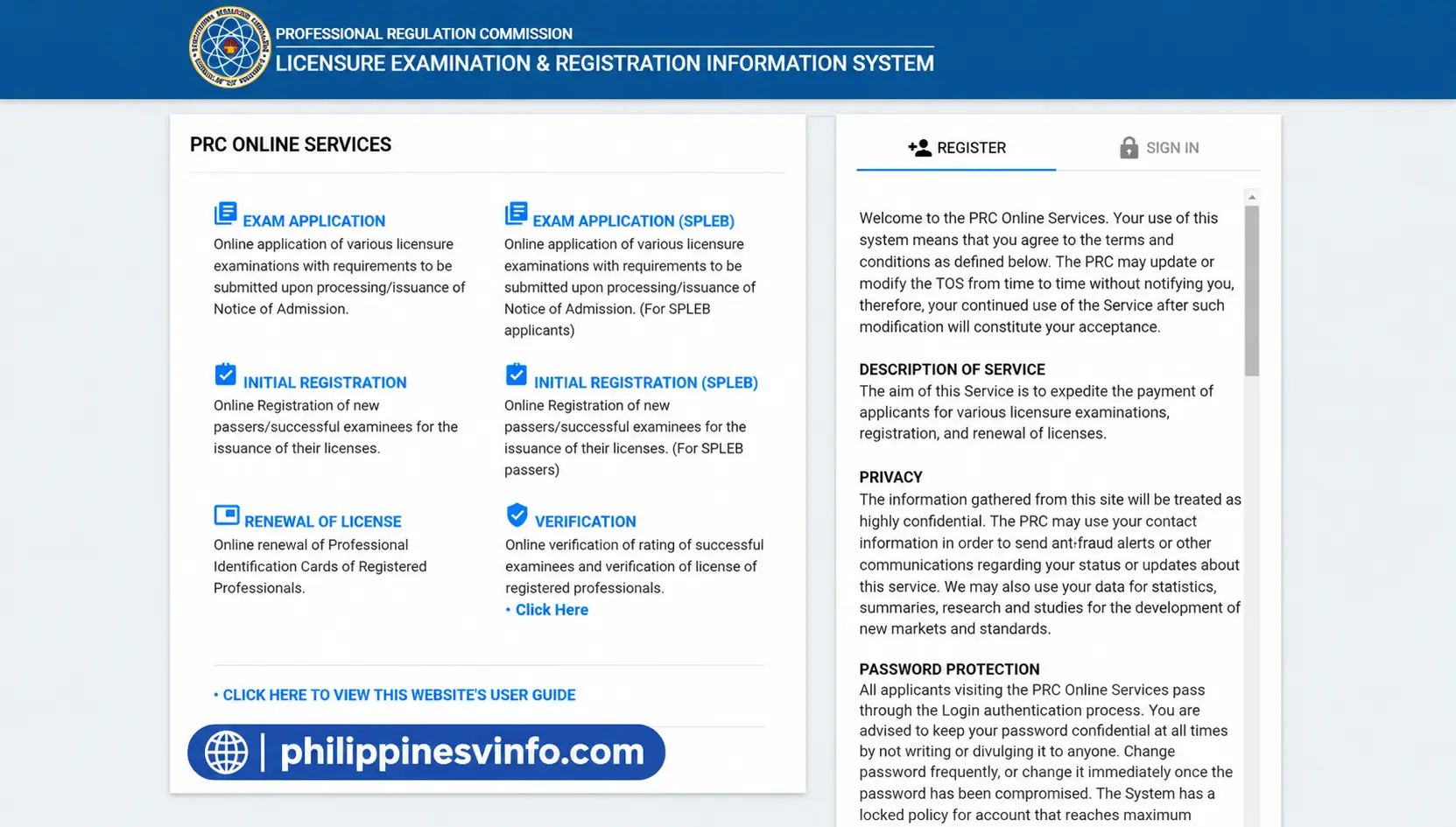
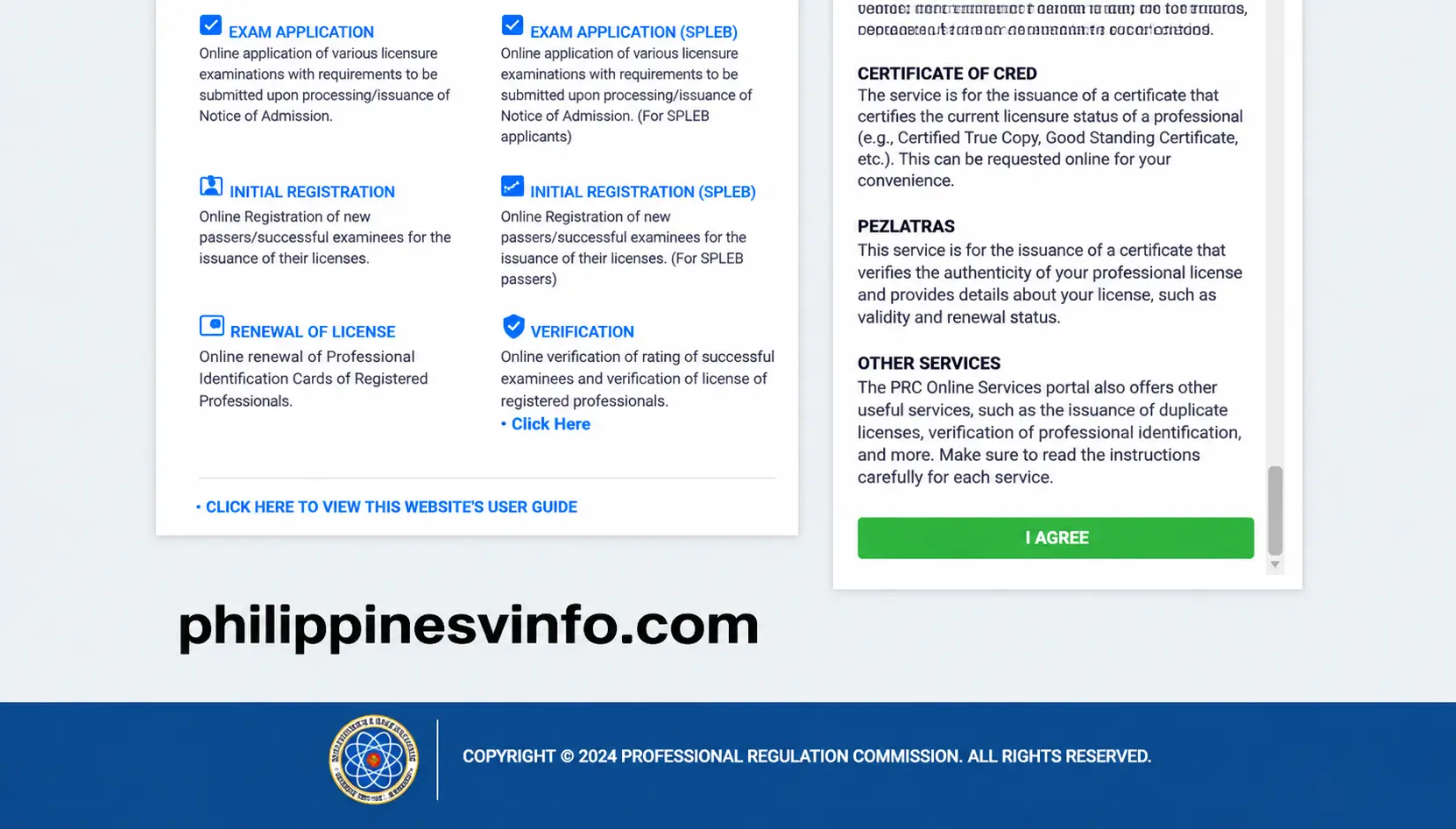
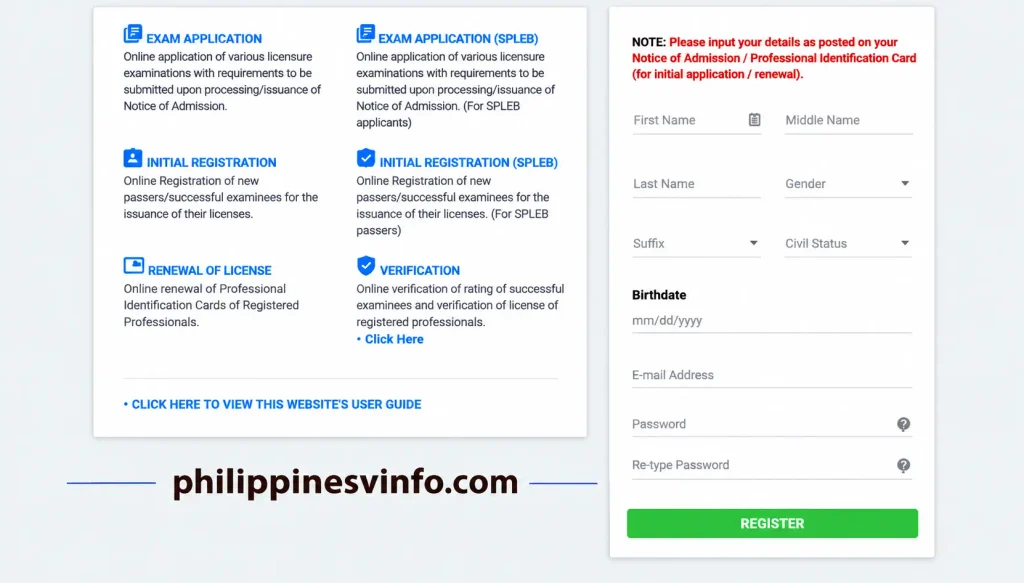
Your password should follow the character, letter, number, and special-character requirements specified by the system.
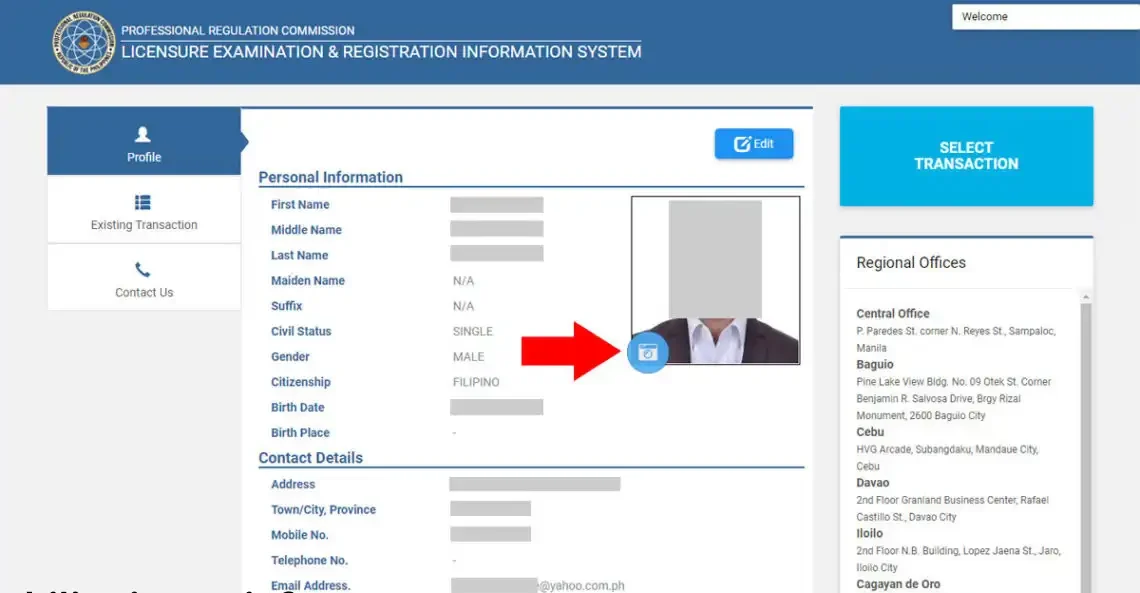
Adjust the image within the preview frame to ensure your face is clearly visible, then save the photograph as instructed.
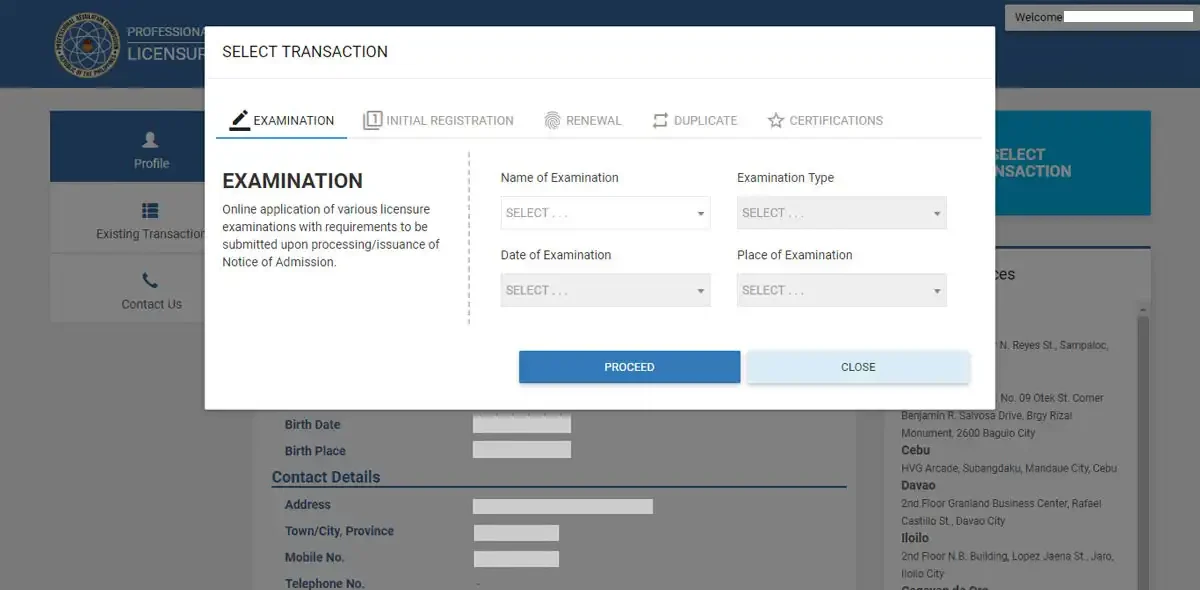
Once you have selected your transaction, follow the on-screen instructions to proceed with appointment scheduling, payment, and document submission, where applicable.
How to Book a PRC Board Exam Appointment
Once your LERIS PRC account is complete and your profile information has been saved, you can proceed with your board examination application online. The process involves selecting the correct licensure examination, choosing an available PRC appointment schedule, and completing the required payment. Make sure you review the examination requirements and application deadlines before starting.
Step 1: Access the Transaction Menu
Sign in to your Online LERIS PRC account through the official PRC LERIS website. From your dashboard, locate and click “Select Transaction” to begin your application. Ensure your personal information is complete and accurate before continuing.
Step 2: Select Examination Services
From the available transaction options, choose “Examination” to start your board exam application. Follow the instructions displayed on the screen and provide any additional information requested by the system.
Step 3: Choose Your Licensure Examination
Select the professional licensure examination you intend to take. Common PRC board examinations include:
Verify that you have selected the correct examination and review the applicable qualifications and documentary requirements before proceeding.
Step 4: Schedule Your Appointment
Choose your preferred PRC LERIS online Regional Office or Service Center, then check the available appointment dates and times displayed in the system. Select a schedule that suits your availability and confirm the details before continuing.
Appointment Tips:
Step 5: Save Your Reference Number
After completing the required application details, review the transaction information and save any Reference Number or payment reference generated by the system. Keep this information accessible because you may need it to complete or verify your payment.
Step 6: Complete the Payment
Pay the required board examination application fee using an authorized payment method offered through the PRC system. Follow the payment instructions carefully and retain your receipt or transaction confirmation. Processing and confirmation times may vary, so check your Online LERIS PRC account for the latest transaction status rather than relying on a fixed processing period.
Step 7: Download and Print Your Application Form
After completing the required steps, access your application form or appointment documents through your LERIS account, where available. Download and print the PRC Application Form if instructed by the system. Bring the required documents, valid identification, and any other specified requirements to your scheduled appointment for verification and processing.
Important: PRC appointment procedures, payment options, and documentary requirements may differ depending on the examination and transaction type. Always follow the latest instructions provided on the official PRC LERIS portal before completing your application.
How to Renew Your PRC License Online
Licensed professionals can renew their Professional Identification Card (PIC) through the Leris PRC renewal online. The system allows registered professionals to submit renewal applications, review their information, arrange appointments, and complete the required payment online. However, an in-person visit may still be necessary, depending on the renewal procedure and the instructions provided by PRC.
Step 1: Sign In to Your LERIS Account
Visit the official PRC LERIS website and log in using your registered email address and password. Make sure you can access your account before starting the renewal process.
Step 2: Start a New Transaction
From your dashboard, click “Select Transaction” and choose “Renewal” from the available PRC services. Follow the on-screen instructions to begin your PRC license renewal online application.
Step 3: Review and Complete Your Information
Check your personal details and professional information carefully. Update any information that has changed and ensure that the details in your LERIS PRC renewal onlineare accurate before proceeding with the renewal request.
Step 4: Schedule Your Appointment
Select your preferred PRC Regional Office or Service Center, then choose an available appointment date and time. Review the appointment details before confirming your schedule, and follow the instructions displayed in the portal regarding any required personal appearance.
Step 5: Pay the Renewal Fee
Pay the applicable PRC ID renewal fee through an authorized payment method available in the LERIS PRC renewal. Keep your payment receipt or confirmation for reference, and check your account to verify the transaction status.
Step 6: Print Your Renewal Form
Once your payment and application have been processed as instructed, download and print your PRC Renewal Application Form, if required. Bring the printed form, valid identification, and any additional documents specified by PRC to your scheduled appointment.
Note: Many PRC license renewals require Continuing Professional Development (CPD) units. However, applicable requirements, exemptions, and supporting documents may vary depending on your profession and current PRC policies. Before submitting your LERIS PRC application license renewal , check the latest CPD guidelines and renewal instructions on the official PRC website.
Note: Most PRC license renewals require Continuing Professional Development (CPD) units. However, certain professions or applicants may qualify for exemptions under current PRC policies. Always check the latest CPD requirements before submitting your renewal application.
Common PRC LERIS Problems and How to Fix Them
While using the Online PRC LERIS online portal, applicants may occasionally experience account registration errors, rejected profile photos, payment delays, or unavailable appointment schedules. Understanding the possible causes and following the appropriate troubleshooting steps can help you resolve these issues and complete your PRC transaction more smoothly.
1. Unable to Create a LERIS Account
If the system indicates that your name or personal record already exists, your information may already be registered in the PRC database. This can happen if you previously applied for a board examination or already have an existing account.
How to Fix It
- Try signing in with your existing online PRC LERIS account credentials.
- Use the available account recovery options if you cannot remember your password.
- If the problem persists, contact PRC or visit the appropriate PRC office for assistance.
- Bring valid identification and any relevant application records if record verification is required.
- Follow PRC’s instructions for correcting duplicate or inconsistent records before attempting another registration.
2. Profile Photo Is Rejected
Your uploaded photograph may be rejected if it does not meet the current PRC image requirements. Common reasons include incorrect dimensions, an unsuitable background, poor image quality, or an unsupported file format.
How to Fix It
- Use a recent photograph that follows the official PRC photo guidelines.
- Choose a plain white background if required.
- Wear appropriate attire according to the instructions.
- Upload the image in JPEG (.jpg) format if specified by the portal.
- Make sure your face is clearly visible and the image is not blurry.
- Check the permitted file size and dimensions before uploading again.
3. Payment Status Is Not Updated
A payment may be completed successfully while your PRC LERIS account continues to show a pending or unpaid status. This can occur when payment confirmation has not yet been reflected in the system.
How to Fix It
- Check your payment receipt or confirmation message.
- Allow time for the payment provider and PRC system to process the transaction.
- Sign in to your LERIS account again and review the payment status.
- Keep your Reference Number and proof of payment available.
- If the status remains unchanged beyond the expected processing period, contact the relevant payment provider or PRC support.
Avoid paying the same fee a second time until you have confirmed the status of your original transaction.
4. No Appointment Slots Available
Some PRC Regional Offices and popular licensure examinations may have limited appointment availability, particularly during busy application periods. As a result, your preferred date or location may not appear in the LERIS PRC Online appointment calendar.
How to Fix It
- Check the appointment calendar regularly for available schedules.
- Consider another appointment date if your preferred schedule is fully booked.
- Look for a nearby PRC Regional Office or Service Center, provided it is suitable for your transaction.
- Confirm the application deadline for your specific board examination.
- Follow official PRC announcements for updates about appointment availability.
If no suitable appointment is available, consult PRC through its official channels rather than relying on unofficial booking services.
Tip: Always access the official PRC LERIS portal when managing your account, checking application details, or completing payments. Keeping your account information accurate and saving transaction receipts can help prevent common problems during registration, board exam applications, license renewal, and appointment scheduling.
PRC LERIS Accepted Payment Methods
After booking your appointment through the LERIS PRC Online portal, you must complete the required payment to proceed with your application. The available payment methods depend on the transaction type and the options displayed in the official PRC payment system. Applicants can review the available channels and choose the most convenient option for their PRC LERIS transaction.
| Payment Method | Description | Estimated Processing Time |
|---|---|---|
| GCash | Pay using your GCash wallet if this option is available through the PRC payment gateway. | Depends on payment confirmation |
| Maya (PayMaya) | Complete the transaction through Maya if supported by the payment system. | Depends on payment confirmation |
| LANDBANK | Use the available LANDBANK payment services if listed for your transaction. | Depends on payment confirmation |
| Online Banking | Pay through a supported banking partner using its online banking service. | Varies by bank and transaction |
| Over-the-Counter Payment Centers | Pay at an authorized payment partner if this method is offered in the portal. | Varies by payment provider |
| Credit or Debit Card | Use a supported card if card payment is available for your application. | Subject to payment authorization |
| Other E-Wallet Partners | Select another digital wallet if it appears among the authorized payment options. | Depends on payment confirmation |
How to Check Your PRC Application Status
Applicants can use the LERIS PRC Online portal to monitor the progress of their applications and check whether their transactions are still being processed, approved, or require additional action. Checking your application status regularly helps you stay updated and avoid missing important instructions from the Professional Regulation Commission (PRC).
Follow these five simple steps to check your PRC application status online.
Step 1: Visit the Official LERIS PRC Website
Open your web browser and visit the official PRC online services website at https://online.prc.gov.ph/. Make sure you are using the official PRC portal to protect your personal information and avoid unofficial websites.
Once the homepage loads, look for the login section. You will need to access your registered LERIS account to view your application details and transaction history.
Step 2: Log In to Your LERIS Account
Enter the email address and password associated with your LERIS PRC account. Check your login details carefully before submitting them to avoid unnecessary login errors.
After entering your credentials, click the login option to access your account dashboard. If you cannot remember your password, use the available password recovery option to regain access.
Step 3: Open Your Existing Transaction
After logging in, navigate through your account dashboard and look for your existing application or transaction details. Select the relevant transaction, such as board examination application, initial registration, or PRC license renewal.
Make sure you choose the correct application so you can review its current progress. Check the transaction information, appointment details, and any available updates displayed on your account.
Step 4: Review Your Application Status
Carefully review the information displayed for your selected transaction. Depending on the application and processing stage, you may see updates indicating whether your transaction is pending, under processing, approved, or requires further action.
If the portal displays an instruction or additional requirement, read it carefully and follow the steps provided by the PRC. Keep your transaction reference and application details available for future follow-ups.
Step 5: Follow Up on Your Application if Needed
If your application remains pending for an extended period, check whether your transaction requires additional documents, payment confirmation, or an appointment. You can also contact the appropriate PRC office for clarification about your application.
Keep a copy of your transaction confirmation, payment receipt, and other relevant documents. These records can help PRC personnel identify your application and assist you if you experience delays or encounter problems with your online transaction.
Important Tip: Application status labels and available tracking options may differ depending on the type of PRC transaction. Always follow the latest instructions displayed in your official LERIS account.
Benefits of Using the LERIS PRC Online Portal
The Licensure Examination and Registration Information System (LERIS) is the online portal of the Professional Regulation Commission (PRC) in the Philippines. It enables board exam applicants, licensed professionals, and other eligible users to access PRC services online. Through PRC LERIS, users can manage examination applications, renew their Professional Identification Cards (PICs), schedule appointments, and access other available services without needing to visit a PRC office for every transaction.
Why Use the PRC LERIS Portal?
| Benefit | Description |
|---|---|
| 24/7 Online Access | Access your PRC account and review available services whenever you have an internet connection, subject to portal availability. |
| Convenient Digital Applications | Complete eligible PRC application forms online and reduce the need for manual paperwork. |
| Online Appointment Booking | Select available appointment schedules at the appropriate PRC office through the online system. |
| Centralized Account Management | Maintain your personal information and manage application details through one account. |
| Board Exam Applications | Apply for eligible licensure examinations and review your application status through LERIS. |
| PRC ID Renewal | Submit your Professional Identification Card (PIC) renewal application and follow the required renewal steps online. |
| Multiple Payment Options | Choose from the payment methods displayed for your transaction and retain your payment confirmation. |
| Professional Document Requests | Access available services for requesting PRC-issued documents, such as Board Ratings, Board Certificates, or Certificates of Good Standing, where supported. |
| Appointment Management | Review your appointment details and access available application or appointment documents through your LERIS account. |
| Transaction History | Check available records of previous applications and transactions to help you keep your PRC documents organized. |
Using the LERIS PRC Online 2026–2027 portal can make professional registration, board examination applications, license renewal, and appointment scheduling easier to manage. Before starting a transaction, review the current PRC requirements, confirm that your account information is accurate, and follow the instructions provided on the official PRC LERIS website.
Security Tips for Protecting Your LERIS PRC Account
Keeping your LERIS PRC account secure is essential for protecting your personal information, professional records, and application details from unauthorized access. Follow these security practices whenever you use the PRC LERIS Online portal.
Security reminder: The PRC LERIS portal is used for important transactions, including board exam applications, professional registration, and PRC ID renewal. Always verify that you are using the official website before entering sensitive information, making payments, or submitting documents.
Frequently Asked Questions (FAQs)
Conclusion
The LERIS PRC Online Portal 2026–2027 makes it easier for professionals and board exam applicants in the Philippines to access essential services offered by the Professional Regulation Commission (PRC). Through the PRC LERIS system, users can manage account registration, submit licensure examination applications, book appointments, complete eligible online payments, renew their professional licenses, and access available document request services. Preparing the required documents, providing accurate personal information, and following the official application instructions can help reduce errors and avoid unnecessary delays. Always use the official LERIS PRC portal, protect your PRC LERIS account credentials, and review your transaction details before submitting an application. By following these steps, you can manage your PRC registration, board examination, license renewal, and appointment requirements more confidently and efficiently.