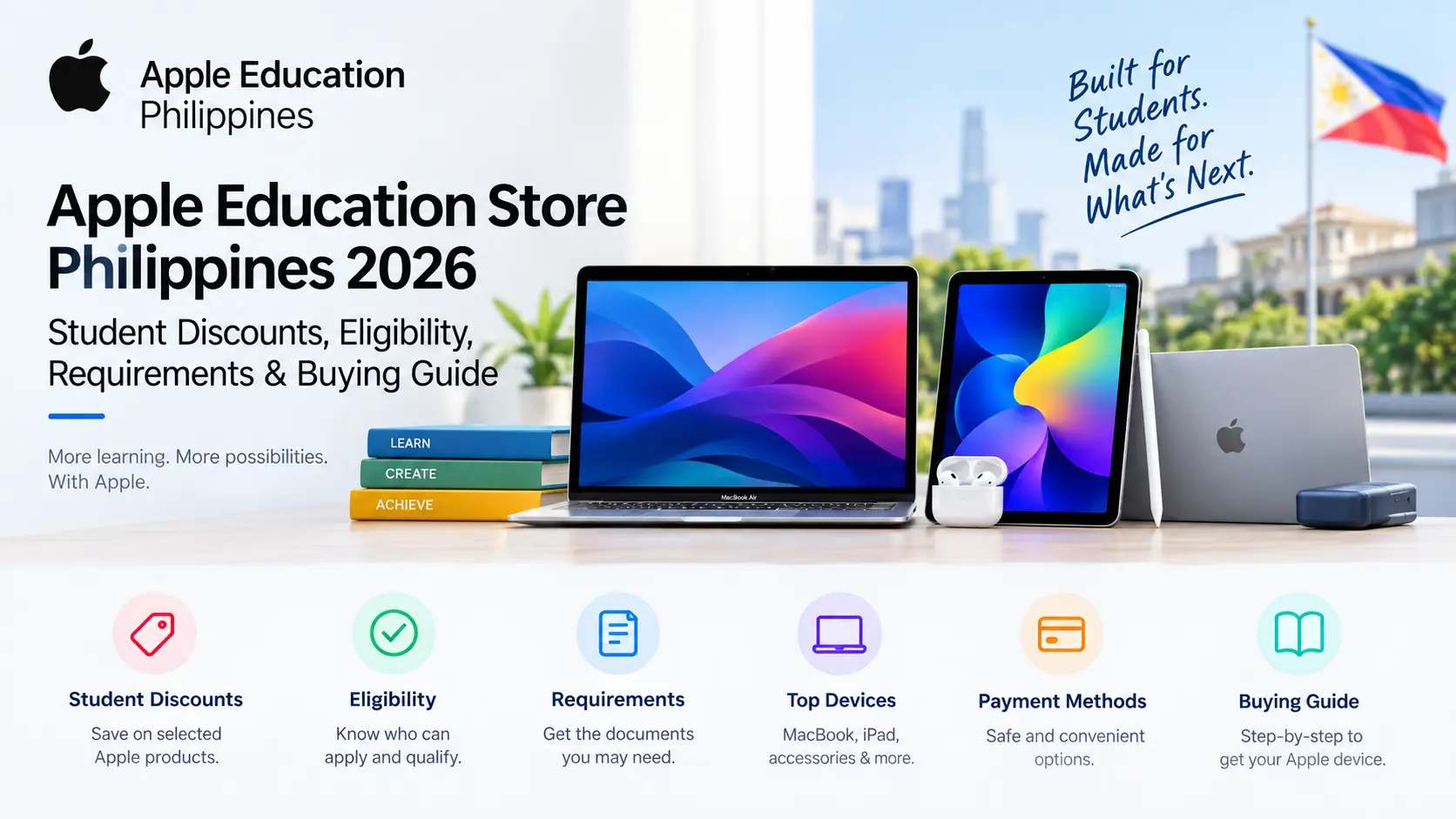
Apple Education Store Philippines 2026: Student Discounts, Eligibility, Requirements & Buying Guide
The Apple Education Store Philippines 2026 program helps eligible students, parents, teachers, and school staff access special education pricing on selected Apple products. Whether you need a MacBook for university assignments, an iPad for digital learning, or essential accessories for academic projects, the Apple Education Store offers an opportunity to purchase eligible devices at education prices.
As schools and universities across the Philippines increasingly adopt digital learning, reliable technology has become essential for research, online classes, presentations, and everyday academic tasks. Apple Education Philippines supports the education community by making selected Apple devices more accessible to qualified buyers, while maintaining the product quality, warranty coverage, and customer support associated with Apple.
What Is Apple Education Philippines?
Apple Education Philippines is an education-focused purchasing program that helps eligible students, parents, teachers, and educational staff access special pricing on selected Apple products. It is designed to make technology more accessible for academic activities, including online classes, research, presentations, assignments, and digital learning.
Through the Apple Education Store, eligible customers may find education pricing on qualifying MacBook computers, iPads, and other selected products. Depending on the current offer and eligibility requirements, buyers may also benefit from special promotions during selected periods. Availability, discounts, and qualifying products can vary, so customers should review the applicable terms before purchasing.
Benefits of Apple Education Philippines
The Apple Education Store Philippines offers several potential advantages for eligible buyers:
- Education pricing: Access special prices on eligible Apple devices.
- Savings on Mac and iPad: Explore qualifying models for studying, research, and academic projects.
- Seasonal promotions: Look for limited-time education offers when available.
- Authentic Apple products: Purchase genuine devices with applicable warranty coverage.
- Reliable performance: Use Apple technology for online learning, productivity, and creative work.
- Convenient purchasing: Explore available online ordering and delivery options in the Philippines.
- Educational productivity: Choose devices that support note-taking, presentations, collaboration, and coursework.
- Support and protection options: Check the availability and pricing of eligible support plans and protection services.
Overall, Apple Education Philippines can be a useful option for students and educators who want to invest in reliable technology while managing their education-related expenses. However, specific discounts, eligibility rules, and promotional benefits depend on the current terms of the program.
Who Is Eligible for Apple Education Philippines?
The Apple Education Store Philippines is designed to provide eligible members of the academic community with special pricing on selected Apple products. Eligibility may depend on the buyer’s educational status, the institution involved, and the terms of the current offer. Students, parents, teachers, and certain educational employees should review the applicable requirements before placing an order.
Higher Education Students
Students enrolled in eligible colleges, universities, and other qualifying higher education institutions may qualify for Apple Education pricing. Students who have received official acceptance and are preparing to begin their studies may also be eligible, depending on the program’s current rules. Homepage.
Common Apple products used for academic activities include:
- MacBook Air for assignments, research, and everyday coursework
- MacBook Pro for demanding academic and creative projects
- iPad Air for digital notes, reading, and presentations
- iPad Pro for advanced productivity and creative tasks
- Apple Pencil for handwriting, drawing, and annotating documents
- Educational accessories for studying and working on projects
These devices can support online classes, academic research, group assignments, presentations, and other university activities.
Parents Purchasing for Students
Parents may qualify to purchase eligible Apple products for children attending or accepted into a qualifying educational institution, where the applicable education pricing rules permit such purchases. This allows parents to manage the payment and ordering process while choosing technology suited to their child’s academic needs.
Depending on the offer, verification may be required to confirm the student’s educational status. Parents should review the current eligibility terms and prepare any relevant documentation before purchasing.
Teachers and Faculty Members
Teachers and faculty members at qualifying educational institutions may also be eligible for Apple Education pricing. Eligible roles may include:
- University professors
- College instructors and lecturers
- School teachers
- Academic coordinators
- Faculty members involved in teaching and research
- Qualified educational administrators
Apple devices can help educators prepare lessons, conduct online classes, develop presentations, review assignments, perform research, and communicate with students.
Educational Institution Staff
Certain employees working in eligible educational institutions may qualify for education pricing, depending on the program’s rules. Potentially eligible roles may include:
- Administrative officers
- Academic support personnel
- School management staff
- Student services employees
- Educational program coordinators
- Other qualifying institutional staff
These professionals may use Apple devices for managing academic records, coordinating educational activities, handling communications, and completing administrative tasks.
Important: Eligibility is not automatically guaranteed for every student, parent, teacher, or school employee. Qualifying groups and verification requirements can vary by offer. Confirm the current Apple Education Store Philippines terms before relying on a discount or completing your purchase.
Apple Education Philippines Eligibility Summary
Apple Education Philippines provides special pricing on selected products for qualifying members of the education community. Eligibility depends on the applicable education pricing terms, and some buyers may need to provide documentation to verify their status.
| Eligible Category | Eligibility Status |
|---|---|
| College Students | May qualify |
| University Students | May qualify |
| Newly Accepted Students | May qualify |
| Parents of Eligible Students | May qualify under applicable terms |
| Teachers and Educators | May qualify |
| School and University Staff | Depends on the applicable eligibility rules |
| General Public | Not generally eligible for education-only pricing |
Before purchasing through the Apple Education Store Philippines, confirm that you meet the current eligibility requirements. Do not assume that every educational role or student category automatically qualifies.
Educational Eligibility Verification
Apple may occasionally request additional documentation to confirm that a customer qualifies for education pricing through Apple Education Philippines. Verification requirements depend on the applicable offer and purchasing process, so buyers should be prepared to demonstrate their educational status if requested.
Documents Students May Need
Students may be asked to provide documents confirming their enrollment at an eligible educational institution, such as:
- Valid student identification
- Certificate of enrollment
- Current registration records
- Official school-issued documentation
- Student portal records showing enrollment status
Documents for Parents
Parents purchasing eligible products on behalf of students may need documents that establish the student’s educational status, including:
- Student enrollment records
- Official acceptance letters
- Registration documents
- Proof of academic status issued by the institution
Documents for Educators and Staff
Teachers, faculty members, and qualifying educational employees may be asked to provide:
- Employee identification
- Faculty credentials
- Employment verification certificates
- Official staff documentation issued by the institution
Preparing relevant documents in advance can make it easier to respond to a verification request. Submit personal documents only through an authorized verification process.
Documents Required for Verification
Some purchases may require additional verification of educational status. Preparing relevant documents in advance can help you respond promptly if verification is requested. The exact requirements depend on the applicable offer and verification process.
Documents for Students
Students may prepare the following documents to demonstrate their enrollment status:
- Valid student identification card
- Current registration documents
- Certificate of enrollment
- Official school-issued verification documents
- Student portal records showing active enrollment
These documents can help establish that the student is currently attending a qualifying educational institution.
Documents for Newly Accepted Students
Students who have received admission but have not yet started classes may prepare:
- Official acceptance letter
- Admission confirmation documents
- Enrollment confirmation records, if available
- Institution-issued admission notifications
These records can help demonstrate acceptance into an eligible educational program. Whether an acceptance letter alone is sufficient depends on the current verification requirements.
Documents for Parents
Parents purchasing eligible products for a student may need access to relevant educational records, such as:
- Student enrollment documents
- Proof of academic registration
- Admission confirmation records
- Other documents issued by the educational institution
Providing accurate information can help establish the student’s educational status if verification is required.
Documents for Teachers and Educational Staff
Teachers, faculty members, and qualifying educational employees may prepare:
- Employee identification card
- Faculty identification documents
- Employment verification certificate
- Institution-issued employment records
These documents can help confirm employment at an eligible educational institution.
Verification tip: Keep your documents accurate and up to date, but submit them only through an authorized verification process. Document requirements and accepted forms of proof may vary, so check the current terms before placing an order.
Why Students Choose Apple Education Philippines
Apple devices are popular among students because they combine performance, portability, and access to a broad range of educational applications. For students in the Philippines, choosing the right device can make everyday academic tasks more convenient, from attending online classes to completing research projects.
Strong Academic Performance
MacBooks and iPads support a variety of educational activities, including:
- Research projects and thesis writing
- Programming and software development
- Graphic design and video production
- Online learning and virtual classes
- Data analysis and academic research
- Presentations and collaborative assignments
Students can select a device based on their course requirements, preferred software, and workload.
Battery Life for Daily Learning
Battery life is an important consideration for students who attend lectures, work in libraries, travel between classes, or participate in online learning. MacBooks and iPads are designed for portable use, although actual battery performance varies by model, application, settings, and usage.
Choosing a device with sufficient battery capacity can help students complete their academic work with fewer interruptions.
Seamless Device Integration
Students who use multiple Apple products may benefit from features that support a connected workflow. Depending on the devices and settings, these features include:
- AirDrop: Transfer files between compatible Apple devices.
- iCloud synchronization: Keep supported documents and data updated across devices.
- Handoff: Continue certain activities on another compatible Apple device.
- Universal Clipboard: Copy and paste content between supported devices.
- Shared Notes: Collaborate on notes and organize study materials.
These features can be particularly useful when switching between a MacBook, iPad, and iPhone during academic work.
Access to Educational Applications
Apple devices support a broad selection of educational and productivity software, including:
- Document creation and word processing
- Spreadsheet and presentation applications
- Learning management systems
- Online collaboration platforms
- Research and reference tools
- Graphic design and creative applications
- Programming and development software
Students should check the software and system requirements of their educational institution before choosing a device.
Popular Devices to Consider Through Apple Education Philippines
The best Apple device depends on your course, budget, portability requirements, and the applications you need for your studies.
MacBook Air
The MacBook Air is a portable laptop suited to everyday university work, offering a balance of performance, portability, and battery efficiency.
Best for: General coursework, online classes, research, business studies, writing, and everyday productivity.
MacBook Pro
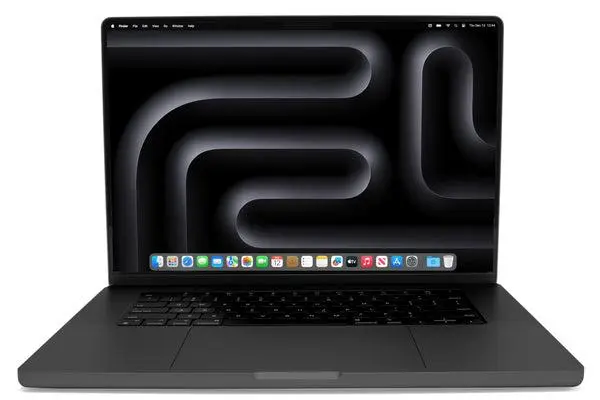
The MacBook Pro is worth considering for students who need additional performance for demanding applications and complex projects.
Best for: Software development, engineering, multimedia production, video editing, and advanced creative work.
iPad Air
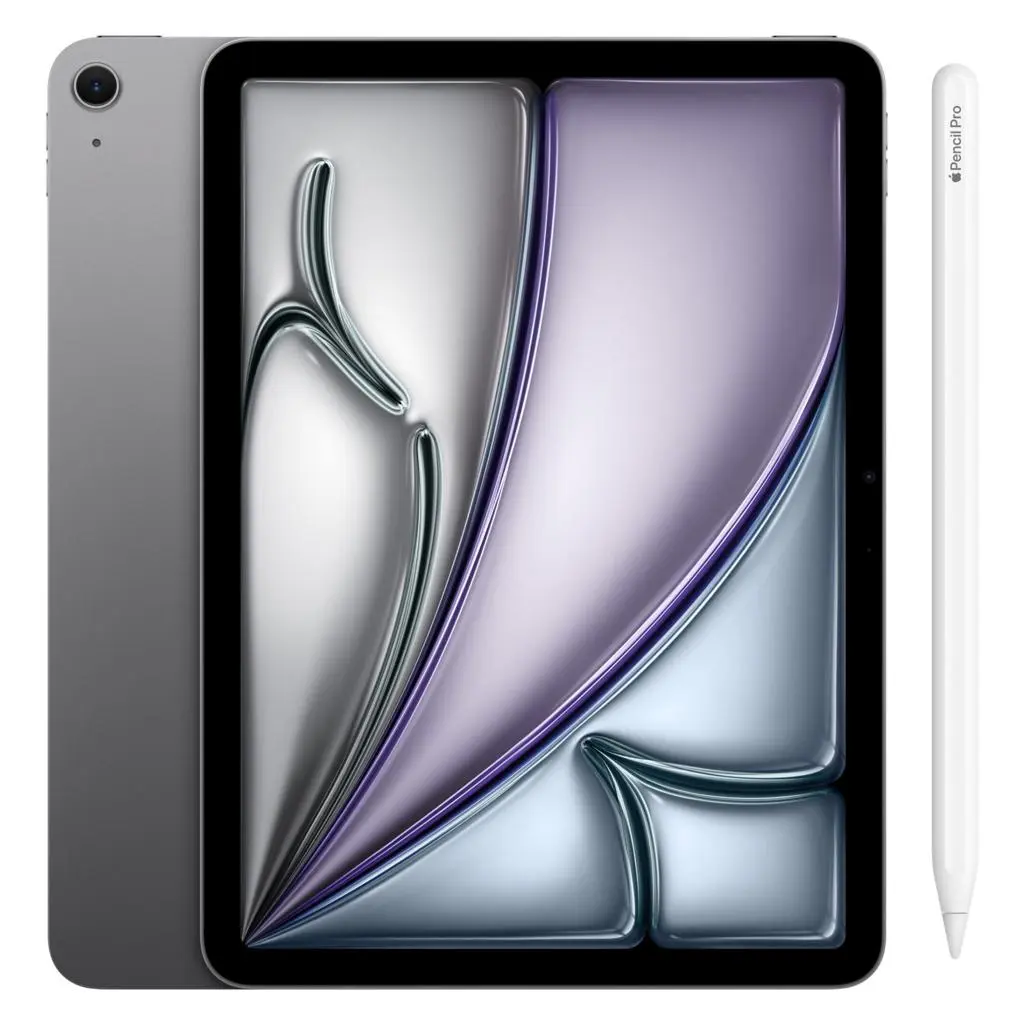
The iPad Air offers a lightweight option for reading, handwritten notes, digital textbooks, and classroom presentations. Compatible accessories may be sold separately.
Best for: Note-taking, online coursework, reading, research, and studying on the go.
iPad Pro
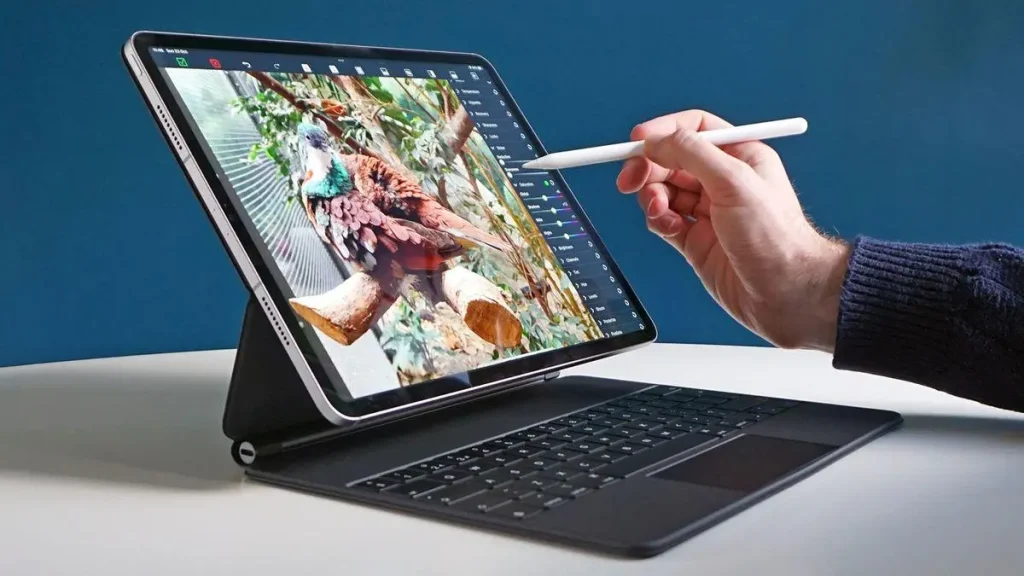
The iPad Pro is designed for users seeking advanced tablet performance and creative capabilities, depending on the model and applications used.
Best for: Digital illustration, design, creative projects, multimedia work, and demanding tablet-based workflows.
Before purchasing, compare the available models, storage capacities, compatibility with required applications, and the total cost of accessories. A MacBook may be more suitable for software that requires a desktop operating system, while an iPad can be a practical choice for reading and handwritten notes.
How To Get Your Apple Education Discount (Video Guide)
How to Buy Through Apple Education Philippines
Purchasing an Apple device through the education store involves choosing a suitable product, reviewing its configuration, checking eligibility, and completing the checkout process. Follow these steps to understand how to prepare for an education-priced purchase in the Philippines.
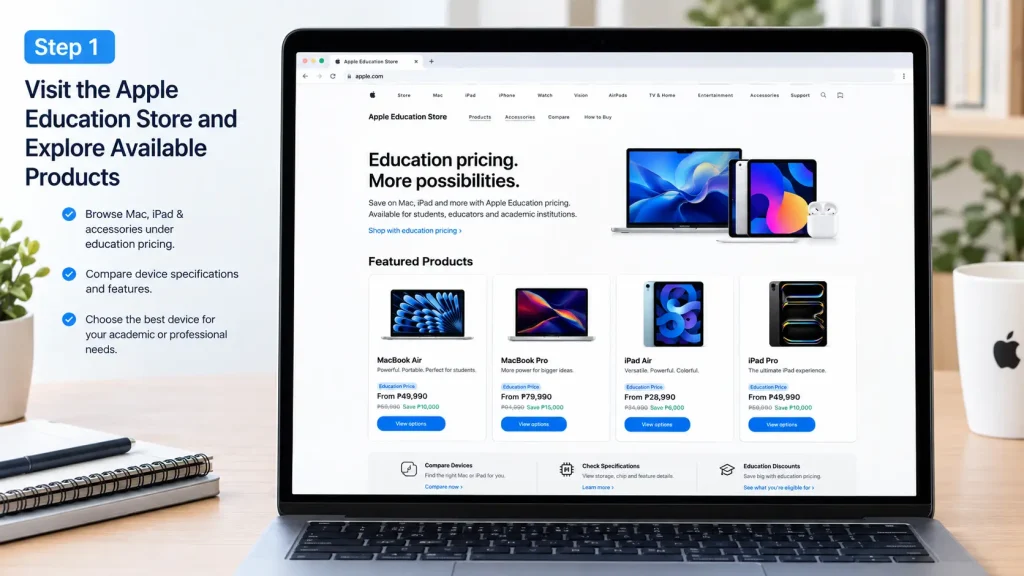
Step 1: Explore Available Apple Education Products
Start by reviewing the Apple products and education pricing available to eligible customers in the Philippines. Compare different models, specifications, and configurations to find a device that matches your academic requirements and budget.
- Explore available MacBook, iPad, and accessory options.
- Compare specifications, performance, storage, and features.
- Check the hardware and software requirements of your school or university.
- Review the applicable education pricing and promotional terms before selecting a product.
Step 2: Choose the Right Device for Your Studies
Selecting the right device depends on your course, software requirements, and how you intend to use it throughout the academic year. A lightweight laptop may suit everyday coursework, while demanding creative or technical applications may require more powerful hardware.
- MacBook Air: Suitable for assignments, research, online classes, and everyday productivity.
- MacBook Pro: Worth considering for programming, video editing, engineering software, and creative projects.
- iPad Air: A practical option for digital note-taking, reading, and classroom activities.
- iPad Pro: Designed for users who need advanced tablet performance for creative and multimedia tasks.
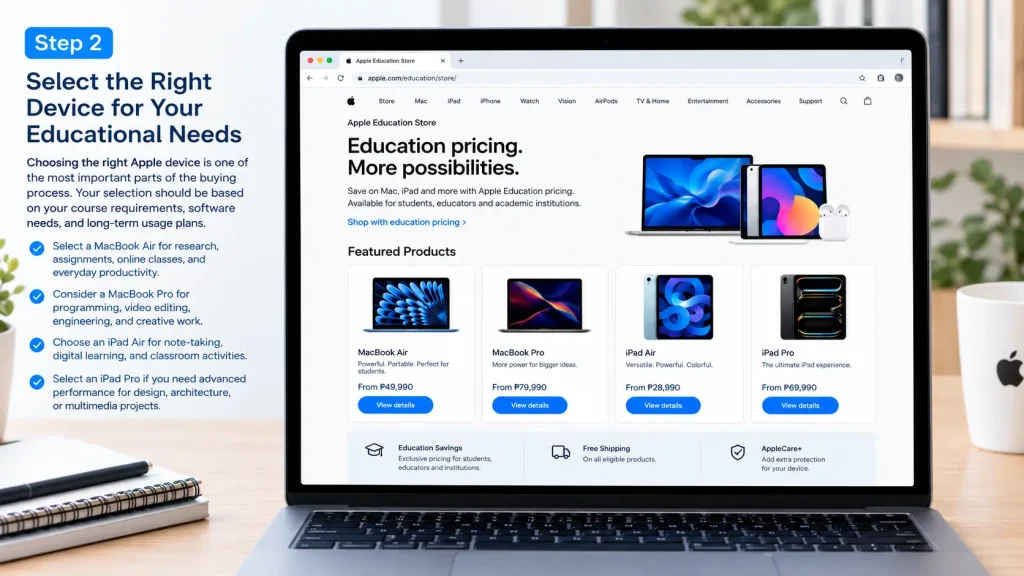
Before deciding, confirm that your chosen device supports the applications required by your educational institution.
Step 3: Customize Your Device Configuration
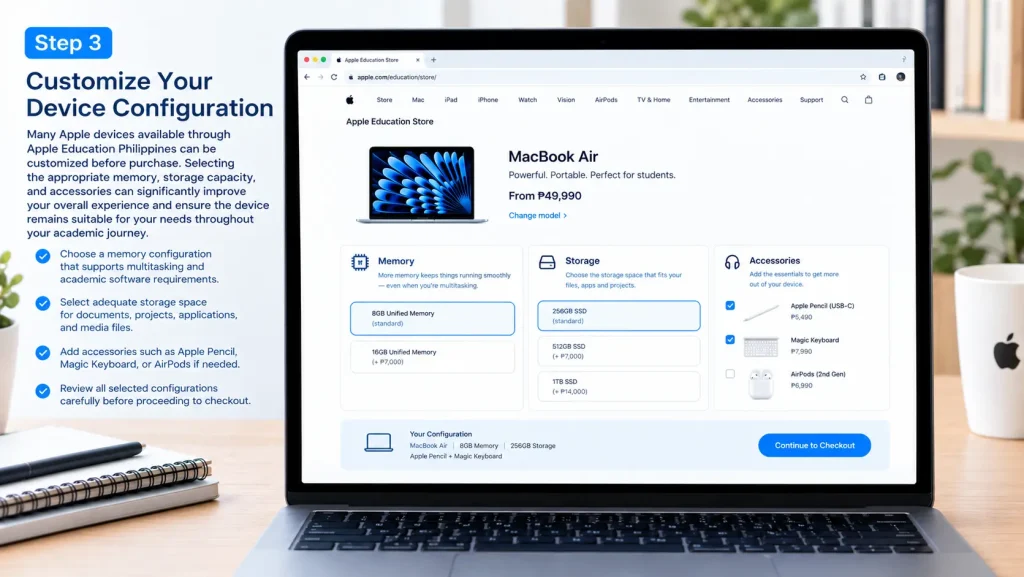
Depending on the selected model, you may be able to choose different storage capacities, memory configurations, and compatible accessories. Choosing the right configuration can help you avoid unnecessary expenses while ensuring that your device meets your academic needs.
- Select a memory configuration appropriate for your applications and multitasking requirements.
- Choose enough storage for coursework, documents, software, and project files.
- Consider accessories such as Apple Pencil or Magic Keyboard when compatible and necessary.
- Review the selected model, configuration, and accessory costs before continuing.
Step 4: Consider AppleCare and Review Your Order
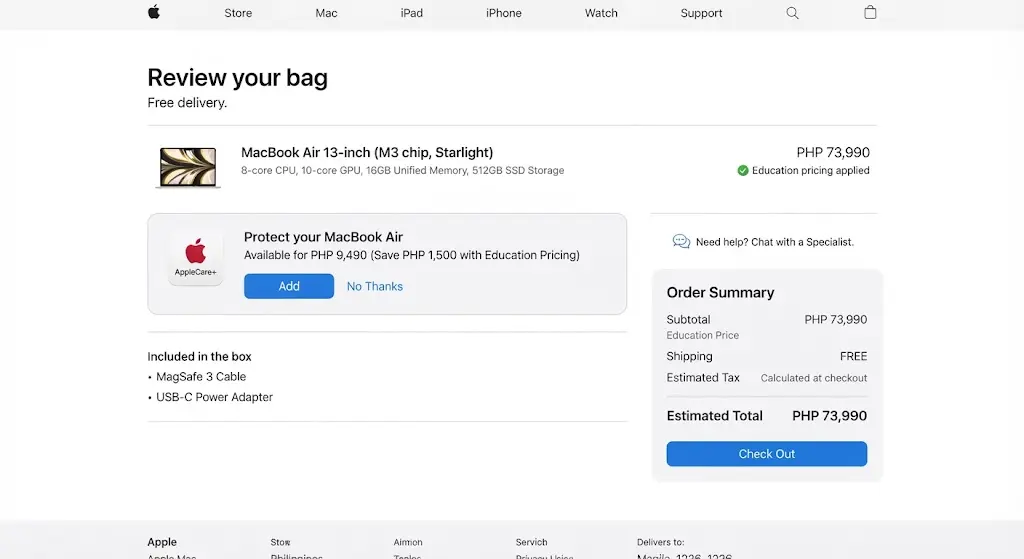
Before checkout, consider whether additional AppleCare coverage is suitable for your device and budget. Coverage options, eligibility, pricing, and service benefits can vary by product and location.
Review your order carefully to avoid mistakes before payment.
- Compare available AppleCare options and their coverage terms.
- Verify the device model, memory, storage, and color.
- Check the accessories and any optional services included.
- Confirm the displayed price and any applicable education discount.
- Review the estimated delivery date and applicable return conditions.
Step 5: Sign In or Set Up Your Apple Account
Depending on the purchasing process, you may be able to sign in with an existing Apple Account or continue using the checkout options provided. An Apple Account can help you manage Apple services, compatible device features, and purchase-related information.
- Sign in with your existing Apple Account if required.
- Create an account if you need one for the services you intend to use.
- Verify your email address and complete any requested security checks.
- Keep your order confirmation and purchase records for future reference.
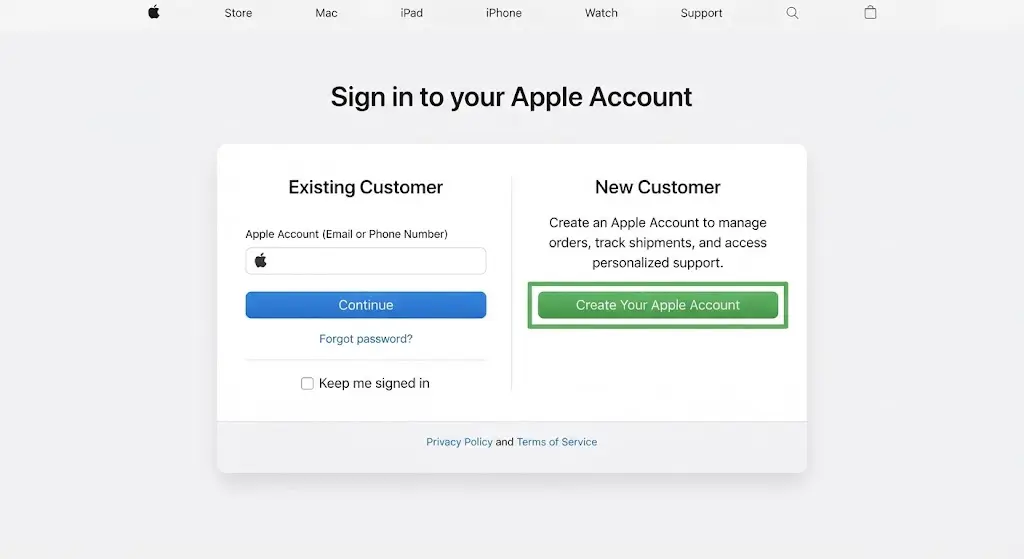
Note: Account creation and education eligibility verification are separate matters. Having an Apple Account does not automatically qualify you for education pricing.
Step 6: Enter Your Details and Complete Checkout
Once you have selected your device and reviewed the order, provide the requested billing and delivery information. Accurate details help reduce the risk of payment problems or delivery delays.
- Enter your full name and an active email address.
- Provide a valid contact number if requested.
- Enter your complete delivery address, including the city, province, and postal code.
- Choose an available payment method and complete any required verification.
- Review the final price, delivery details, and order summary before confirming your purchase.
- Save your order confirmation and reference number so you can check your order status later.
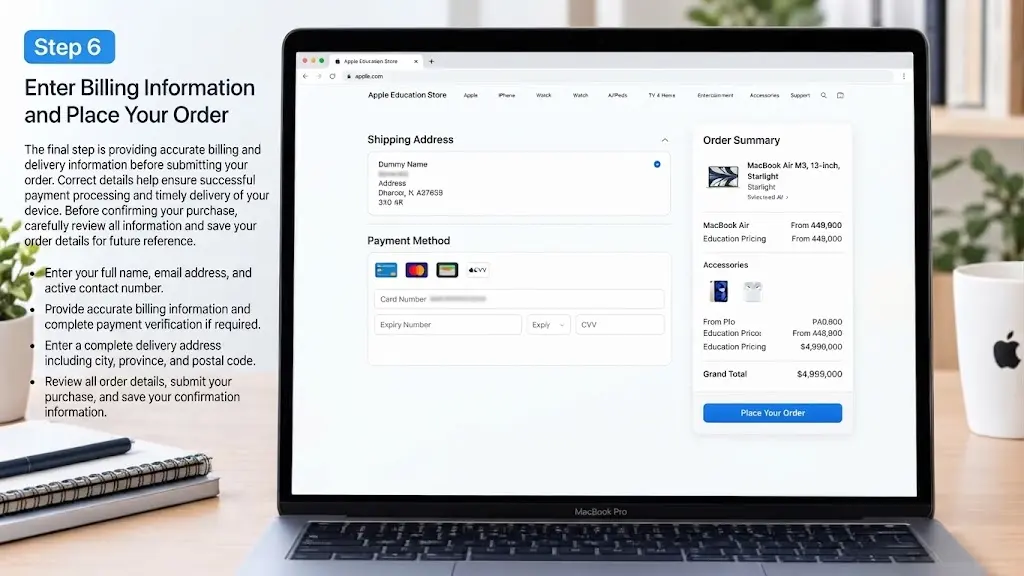
After submitting your order, follow the instructions in your confirmation to monitor its progress and review any further information requested by the seller.
Important: Product availability, education discounts, payment methods, shipping options, and verification requirements may differ in the Philippines. Confirm that the specific offer is available in your location before relying on a quoted discount or completing your purchase.
Annual Purchase Limits for Apple Education Philippines
Apple Education Philippines may apply purchase limits to education-priced products to help ensure that special pricing benefits eligible members of the academic community rather than commercial resellers. These limits, where applicable, depend on the current program terms and purchasing policies.
The following table provides an illustrative overview of possible annual purchase limits. These figures should not be treated as confirmed Apple Philippines policy unless verified against the current terms.
| Product Category | Illustrative Annual Limit |
|---|---|
| Portable Mac Devices | 1 unit |
| Desktop Mac Devices | 1 unit |
| iPad Devices | 2 units |
| Education-Priced Accessories | 2 units |
Purchase limits may differ by product category, eligibility period, and promotional conditions. If you have already purchased an education-priced device, review the applicable rules before placing another order. Additional purchases may be restricted until a new eligibility period begins.
Common Checkout Mistakes to Avoid
Careful preparation can help prevent common purchasing problems, reduce the likelihood of delays, and ensure that your chosen Apple device meets your academic requirements.
Choosing Insufficient Storage
Students sometimes underestimate how much storage they will need over several semesters. Consider your current workload and expected future requirements before selecting a device configuration.
Important factors include:
- Software and application installations
- Research documents and academic files
- Large assignments and project folders
- Photos, videos, and multimedia content
- Expected usage throughout your course
Choosing suitable storage from the beginning can reduce the need to manage space frequently or purchase additional storage solutions later.
Entering Incorrect Delivery Information
Incomplete or inaccurate shipping details may lead to delivery delays or unsuccessful delivery attempts. Review the information carefully before submitting your order.
Check the following details:
- Full street address and any relevant building information
- Active contact number
- Correct city and province
- Postal code
- Recipient’s full name
Accurate delivery information helps the seller or courier identify the correct destination and contact you when necessary.
Overlooking Eligibility Requirements
Before completing your purchase, review the current Apple Education Philippines eligibility rules and the terms of the specific offer you intend to use.
Providing inaccurate information or assuming that every educational role qualifies may result in additional verification, order delays, or the loss of an expected discount. Confirm your eligibility before relying on education pricing.
Failing to Save Order Records
Keep a copy of your purchase confirmation and related information after checkout. These records can help you monitor the shipment and resolve potential payment or delivery issues.
Save the following details:
- Order number
- Purchase confirmation
- Payment receipt or transaction reference
- Shipment notifications
- Tracking information, when available
Store these records securely so you can retrieve them if you need assistance.
What Happens After Ordering?
After you submit an order, the seller processes the purchase and prepares the selected products for fulfillment. The exact sequence and timing depend on product availability, payment verification, shipping arrangements, and any additional checks required.
Typical Order Status Stages
| Order Stage | Description |
|---|---|
| Order Received | Your order details have been submitted successfully. |
| Processing | The seller reviews the order and processes the payment. |
| Preparing for Shipment | Available products are prepared for dispatch. |
| Shipped | The order has been dispatched, and tracking details may become available. |
| Delivered | The shipment has arrived at the designated delivery address. |
Order status labels may differ depending on the seller and ordering platform. Delivery estimates can also change because of stock availability, verification requirements, or courier delays.
Keep an eye on your order notifications and tracking information so you can follow the shipment until it arrives. If the status remains unchanged beyond the estimated processing or delivery period, use the seller’s available support channels and provide your order reference when requesting assistance.
Payment Methods for Apple Education Philippines
After selecting a device and reviewing the order, the next step is to choose an available payment method. Payment options depend on the seller, the purchasing platform, and the current payment policies applicable in the Philippines.
Commonly Available Payment Options
Depending on the checkout platform, buyers may be offered:
- Credit cards
- Debit cards
- Eligible bank-issued payment cards
- Financing or installment options, where available
- Other payment methods explicitly displayed during checkout
Not every payment method is necessarily available for every order. Review the options shown at checkout rather than assuming that a particular bank, card, or financing service is supported.
Payment Tips
To reduce the risk of payment errors or processing delays:
- Verify your card details before submitting payment.
- Check that sufficient funds or available credit are present.
- Ensure your billing information matches the details required by your payment provider.
- Complete any requested bank authentication or transaction verification.
- Save your payment receipt and order confirmation for future reference.
If a transaction fails, check with your bank or payment provider before repeatedly attempting payment. This can help you identify whether the problem relates to available funds, verification, or payment restrictions.
Delivery Information for Apple Education Philippines Orders
Delivery arrangements depend on the seller, product availability, shipping destination, and fulfillment terms. Before purchasing, confirm that delivery is available for your address in the Philippines and review the estimated delivery period and applicable shipping charges.
Providing complete and accurate delivery details helps reduce the likelihood of address-related problems and unsuccessful delivery attempts.
Order Shipment Process
After an order has been accepted and processed, the seller may provide notifications about its progress. Depending on the ordering platform, these updates can include:
- Order confirmation
- Shipping confirmation
- Tracking information
- Estimated delivery date
- Changes to order status
Tracking availability and notification methods vary by seller and shipping service.
Delivery Preparation Tips
Before confirming your purchase, take the following precautions:
- Verify your complete delivery address.
- Double-check your contact number and email address.
- Confirm that the postal code and other address details are correct.
- Arrange for someone to receive the package if necessary.
- Keep your order confirmation and tracking details accessible.
If the delivery is delayed beyond the estimated timeframe, review the latest tracking information and contact the seller or courier through its available support channels.
Advantages of Buying Through Apple Education Philippines
Purchasing through Apple Education Philippines can help eligible students, educators, and other qualifying buyers access education pricing on selected Apple products. Buyers can compare available devices, review applicable offers, and choose technology that supports their academic or professional needs.
Key Advantages
- Education pricing: Potential savings on eligible Apple products.
- Genuine Apple products: Access to authentic devices when purchasing through an authorized sales channel.
- Warranty coverage: Applicable warranty protection under the relevant purchase terms.
- Secure payment processing: Payment options and verification procedures provided during checkout.
- Product customization: Configuration choices on supported models, where available.
- Customer support: Access to the support services applicable to the seller and product.
- Order tracking: Shipment updates and tracking information when provided.
- Educational promotions: Opportunities to benefit from qualifying seasonal offers and limited-time deals.
These benefits make education pricing worth exploring for students and educators who want Apple technology for coursework, research, creative projects, and everyday productivity. However, discounts, support arrangements, and purchasing benefits depend on the specific offer and sales channel.
Educational and Creative Software Benefits
Apple devices support a broad ecosystem of productivity, educational, and creative applications. These tools can help students organize coursework, prepare presentations, produce multimedia projects, and develop practical skills relevant to their studies.
Popular Applications Used by Students
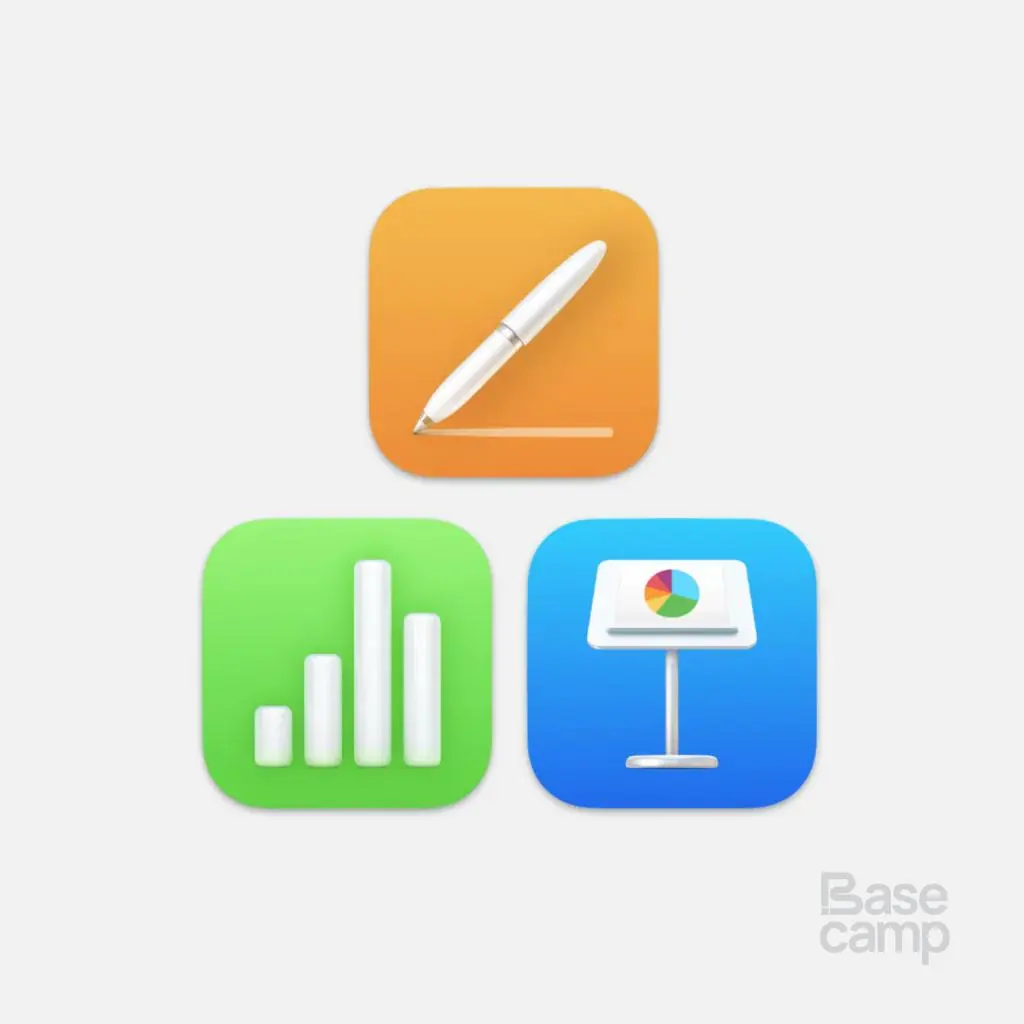
Pages, Numbers, and Keynote
These applications support document creation, spreadsheet analysis, and presentations for assignments, reports, and group projects.
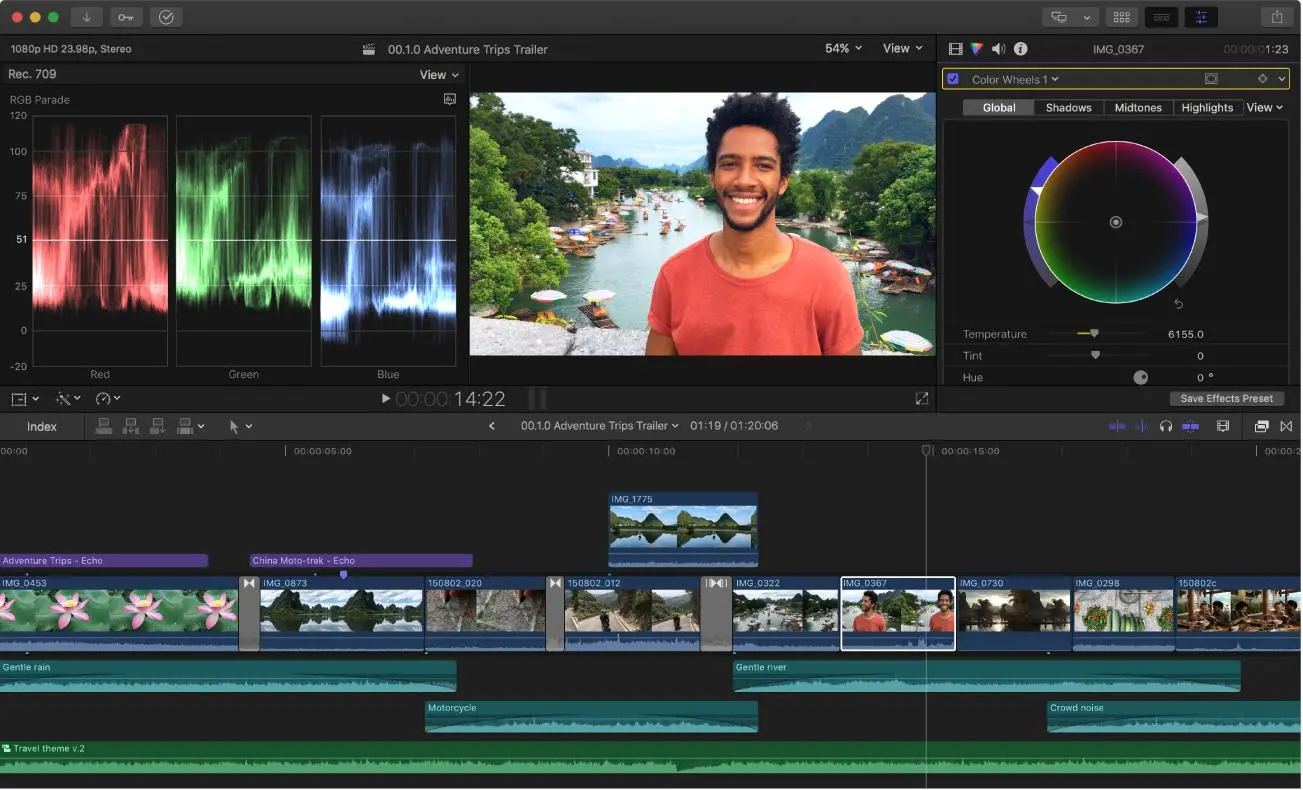
Final Cut Pro
Useful for compatible video-editing workflows, multimedia assignments, and creative production projects.
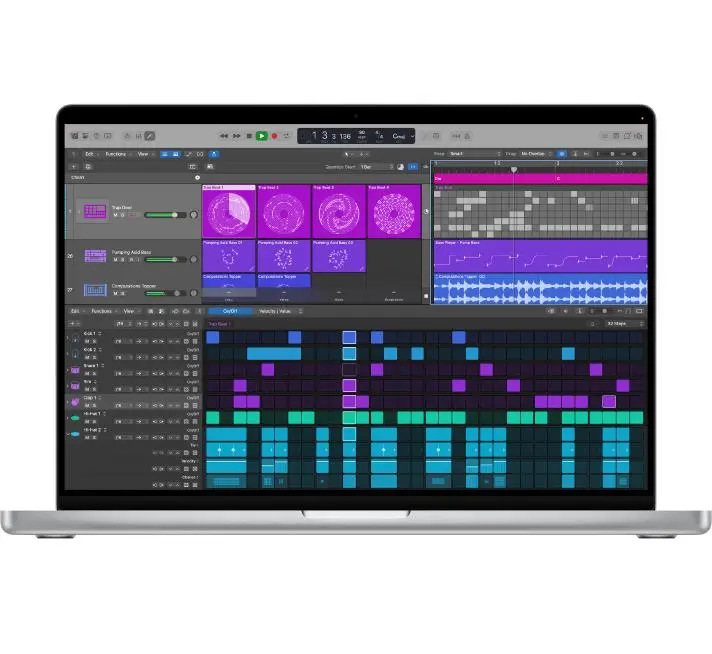
Logic Pro and GarageBand
Music-focused tools that can support audio recording, composition, sound editing, and music production.
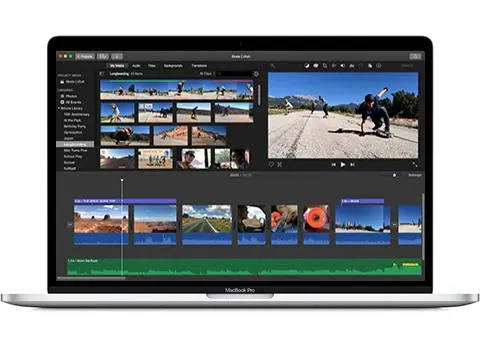
iMovie
A practical option for creating and editing videos for presentations, coursework, and student projects.
Educational Uses
Depending on the application and device, students may use these tools for:
- Academic presentations and reports
- Research documentation
- Video editing and multimedia production
- Music creation and audio projects
- Creative coursework and design
- Classroom assignments and collaborative projects
- Digital content development
Before purchasing, check whether the software you need is compatible with your selected device. Some professional applications require specific hardware, operating-system versions, or paid subscriptions or licenses.
Troubleshooting Common Apple Education Philippines Issues
Although purchasing an Apple device can be straightforward, customers may encounter issues involving education pricing, eligibility verification, payment processing, account access, or delivery. Understanding the possible causes and appropriate solutions can help you resolve these problems more efficiently.
| Common Issue | Possible Cause | Recommended Solution |
|---|---|---|
| Unable to access education pricing | Incorrect store region, unavailable offer, or temporary website issue | Confirm that the offer applies to the Philippines, refresh the page, and review the current eligibility terms. |
| Educational verification request | Additional confirmation of student or employee status is required | Provide the requested documents through the authorized verification process. |
| Payment declined | Incorrect card details, insufficient funds, or bank security restrictions | Verify your payment information, check available funds, and complete any required bank authentication. |
| Order processing delay | Payment review, eligibility verification, or high order volume | Check your order status and respond to any requests for additional information. |
| Delivery delay | Courier disruption, severe weather, holidays, or stock availability | Review tracking updates and contact the seller or courier if the estimated delivery period has passed. |
| Incorrect delivery information | Inaccurate address, postal code, or contact details | Contact the seller promptly to ask whether the shipping details can still be corrected. |
| Unable to sign in to Apple Account | Incorrect credentials or an account security issue | Follow Apple’s account recovery process and complete any requested security checks. |
| Missing order confirmation | Email delay, incorrect email address, or incomplete checkout | Check your spam folder, review your order history if available, and contact the seller if payment was taken but no confirmation appears. |
Quick Troubleshooting Tips
- Confirm that you are using the correct regional purchasing page.
- Keep relevant student enrollment or employment documents available.
- Double-check billing, payment, and delivery information before checkout.
- Save your order number, payment receipt, and purchase confirmation.
- Monitor order status and shipment notifications.
- Contact the relevant seller or support team if the problem remains unresolved.
Apple Education Philippines Buying Checklist
Use this checklist to review the essential steps before, during, and after your purchase.
Before Purchase
1 of 6Confirm your eligibilitySelect a device that suits your studiesReview memory and storage requirementsPrepare verification documents if neededCheck shipping availability and address detailsReview current education offers
During Checkout
0 of 6Sign in if requiredConfirm the applicable education priceReview selected accessoriesChoose an available payment methodVerify billing and delivery detailsCheck the final order summary
After Purchase
0 of 5Save your order confirmationMonitor shipment updatesRetain payment receiptsKeep warranty and purchase informationRetain verification records until the order is completed
Reset checklist
Completing these checks can reduce avoidable errors and help you keep track of the information needed to manage your purchase.
Why Apple Education Philippines Appeals to Students
Apple devices appeal to many students because they combine portable hardware, productivity tools, and support for a wide range of academic activities. Education pricing, when available to eligible buyers, can make selected devices more affordable.
Benefits Students May Appreciate
- Education pricing: Potential savings on eligible products.
- Performance: Hardware suited to everyday coursework and many specialized applications.
- Software support: Access to operating-system updates for supported devices, with support periods varying by model.
- Battery efficiency: Portable devices designed for use throughout classes and study sessions.
- Security features: Built-in security tools and account protections.
- Productivity applications: Tools for writing, research, presentations, and creative work.
- Device integration: Features that connect compatible Apple products.
- Build quality: Devices designed for regular personal and professional use.
The most suitable device depends on your budget, course requirements, preferred applications, and expected workload. Students should compare the total cost of ownership rather than choosing a product based on its brand alone.
Benefits for Educators and Educational Staff
Apple technology can also support teachers, faculty members, and qualifying educational employees in their professional responsibilities, including:
- Classroom instruction and lesson preparation
- Academic administration and documentation
- Research and data analysis
- Presentation development
- Communication and collaboration
- Creative projects and professional productivity
Education pricing may provide additional value for eligible buyers, but current discounts and qualifying categories should always be confirmed before purchase.
Frequently Asked Questions (FAQs)
1. What is Apple Education Philippines?
Apple Education Philippines refers to education-focused purchasing offers that may provide eligible students, parents, teachers, and educational personnel with special pricing on selected Apple products. Availability, qualifying categories, and discounts depend on the current terms of the offer.
2. Who is eligible for Apple Education Philippines discounts?
Eligibility may extend to qualifying college and university students, newly accepted students, eligible parents purchasing for students, teachers, and certain educational employees. The exact requirements depend on the applicable program terms and any verification procedures.
3. What documents may be required for education verification?
Depending on the verification process, applicants may be asked to provide a valid student ID, certificate of enrollment, registration records, an official admission letter, or employment documentation. Submit only the documents requested through an authorized verification channel.
4. Can parents purchase through Apple Education Philippines?
Parents may be eligible to purchase selected products for their children under applicable education pricing rules. However, eligibility is not automatic for every parent or student, so buyers should confirm the current requirements before placing an order.
5. What products can be purchased through Apple Education Philippines?
Eligible buyers may find education pricing on qualifying MacBook computers, iPads, and selected accessories. Product availability, configurations, and promotional offers vary, so check the products and prices displayed for your purchasing location.
6. Does Apple verify student eligibility?
Additional verification may be requested to confirm that a buyer meets the requirements for education pricing. The documents and verification procedures depend on the offer. Providing accurate information can help prevent unnecessary processing delays.
7. How can I track my Apple Education Philippines order?
After placing an order, check the confirmation details and order status provided by the seller. If tracking information becomes available, use it to monitor shipment progress and the estimated delivery date. Contact the seller if your order status remains unchanged beyond the expected timeframe.
8. Why do students choose Apple Education Philippines?
Students may choose Apple devices for their portability, performance, productivity applications, and compatibility with academic and creative workflows. When education pricing is available, eligible buyers may also save on selected products. The best choice depends on individual study requirements and budget.
Conclusion
Apple Education Philippines can be a useful option for eligible students, parents, teachers, and educational personnel looking to purchase Apple technology for academic and professional use. From MacBook computers for university assignments to iPads for digital note-taking and classroom activities, the available devices can support a wide range of learning needs.
Understanding the eligibility requirements, checking current education pricing, preparing verification documents when necessary, and selecting the right device are important parts of the purchasing process. Buyers should also review available payment methods, delivery arrangements, warranty coverage, and promotional terms before completing an order.
As digital learning continues to play an important role in education across the Philippines, choosing suitable technology can help students and educators work more efficiently, develop new skills, and manage their academic responsibilities. By comparing available options and confirming the current terms of Apple Education Philippines offers, buyers can make informed purchasing decisions that suit their educational goals and budget.